Smart Home Products That Look as Good as They Perform

⏱ 4 minute read

There's a version of home technology that nobody actually wants — the kind that works perfectly well but looks like it was bolted on as an afterthought. A chunky grey box on the wall. A camera that screams "surveillance" from across the yard. A keypad that wouldn't look out of place in a 1990s office building.
The assumption that security and smart home gear has to be ugly is one we're quietly dismantling with every installation we do. Because the truth is, the best technology today doesn't just perform beautifully — it looks beautiful, too. And with spring renovation season approaching, there's never been a better time to think about technology that actually enhances your home rather than clashing with it.
Here's a closer look at some of our favourite products — what they do, what they look like, and why we trust them.

Crestron Horizon Keypads — Where Control Meets Craft
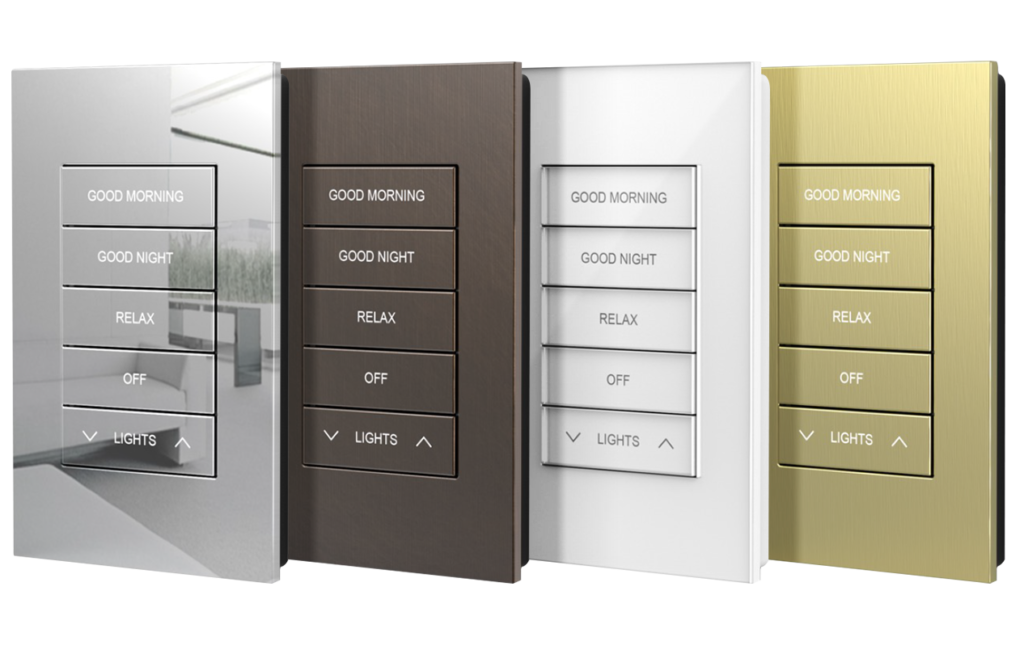
Walk past a Crestron Horizon keypad on a wall and you might not immediately recognise it as a technology product at all. That's entirely by design.
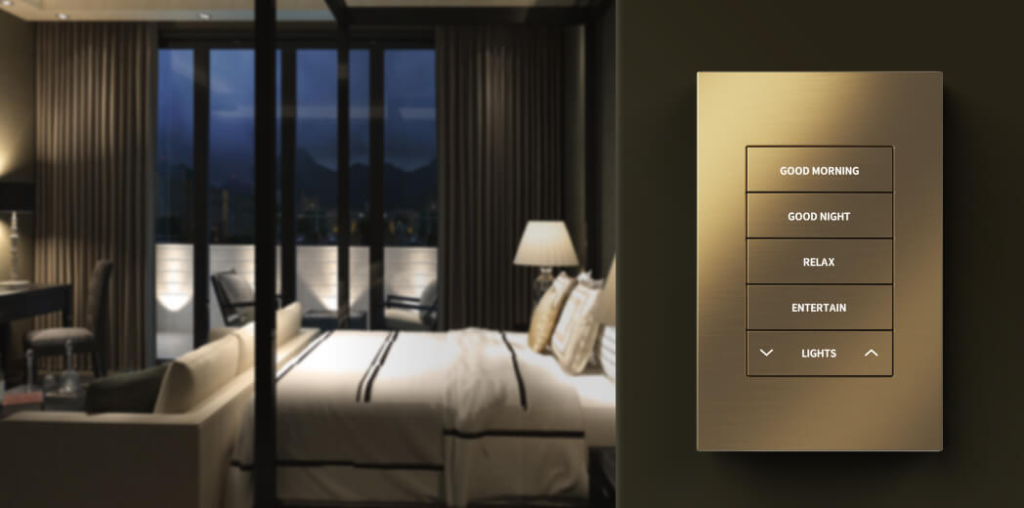
Horizon keypads prioritise clean design featuring improved colour, finish, and alignment in visually appealing layouts — with careful attention to everything from the ergonomics of the device to its ultimate fit and finish. The result is something that looks like it belongs in the space, not something that was added to it.
The latest generation goes further still. Crestron's Horizon keypads and dimmers now offer four premium metal finishes — brushed brass, dark nickel, dark bronze, and brushed black — alongside a modern, minimalist faceplate and modular button design to complement any interior.
Custom engraving lets you label buttons with icons or text that actually make sense for how you live — "Good Morning," "Movie Night," "Away" — rather than generic symbols nobody remembers. Deep functionality is built into the backlighting too, with colour temperature adjustable to suit the room's ambient light, and a dim-to-warm mode that automatically softens the backlight as the room darkens.
For anyone renovating — especially those investing in quality finishes, joinery, and fittings — the idea of a keypad that you'd actually choose as part of your interior design rather than grudgingly accept is a meaningful one. This is what Crestron does exceptionally well.

Ajax LightSwitch — Smarter Lighting That's Actually Beautiful

The humble light switch is one of the most-touched objects in any home, and yet it's almost always an afterthought. Ajax has changed that.
The Ajax LightSwitch features a spacious touch-sensitive panel that responds instantly to taps or contactless gestures — hold your hand 15mm from the device and the light turns on. Soft LED backlight makes it easy to find in the dark, and it requires no neutral wire.
LightSwitch is available in one-gang, two-gang, and two-way models, with replaceable face panels in eight colours: white, fog, grey, graphite, ivory, oyster, olive, or black. Whether your home leans contemporary, coastal, or classic country, there's a finish that fits.
This isn't a cheap smart switch you'd find in a hardware store. Ajax earned its first Red Dot Award — one of the most recognised design awards in the world — with the LightSwitch and Outlet family recognised specifically in the Interior Design Elements category. That's a security and automation company being judged on design merit against products that are only supposed to look good. And winning.
Beyond aesthetics, it integrates directly into the Ajax security and automation ecosystem — so your lighting, alarm, and sensors all communicate through a single platform, managed from one app.
Ajax Lightswitch further infomation

Ubiquiti UniFi Access Points — Tech That Disappears Into the Ceiling
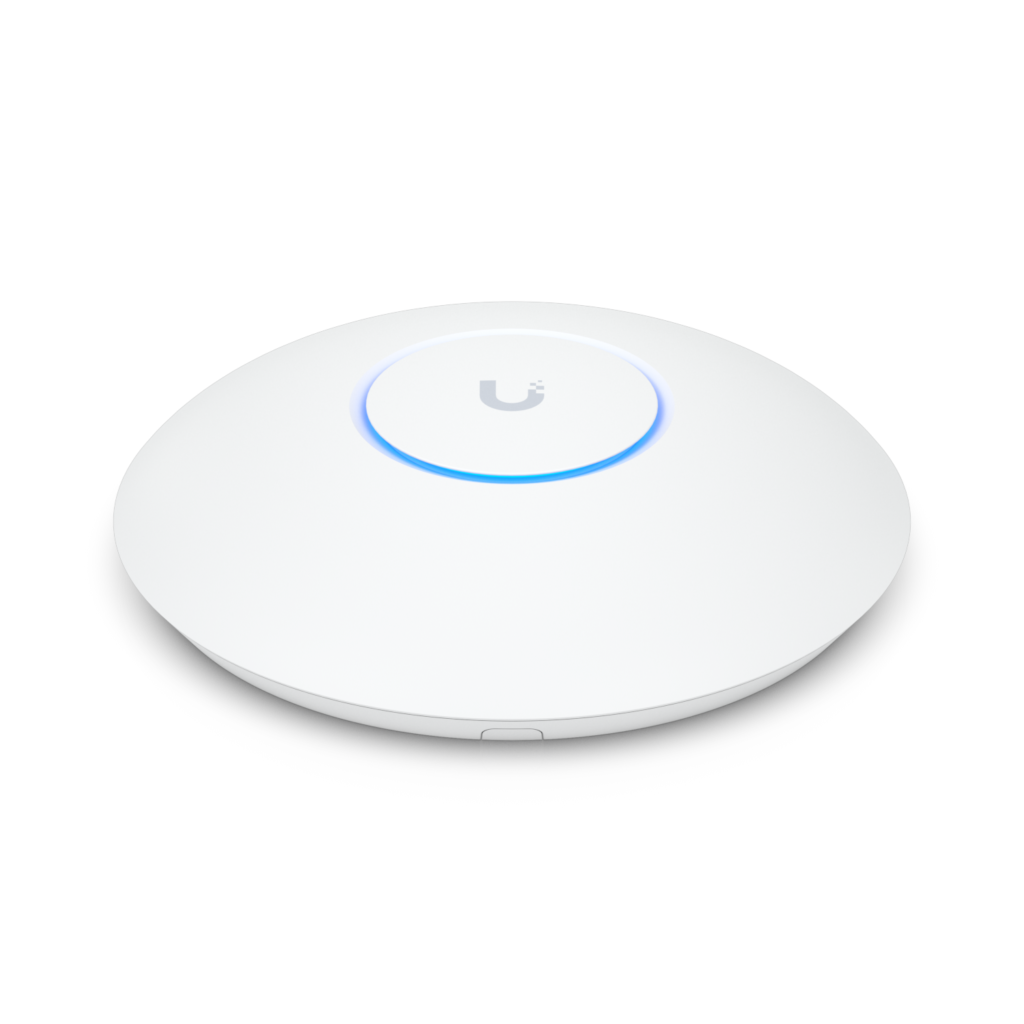
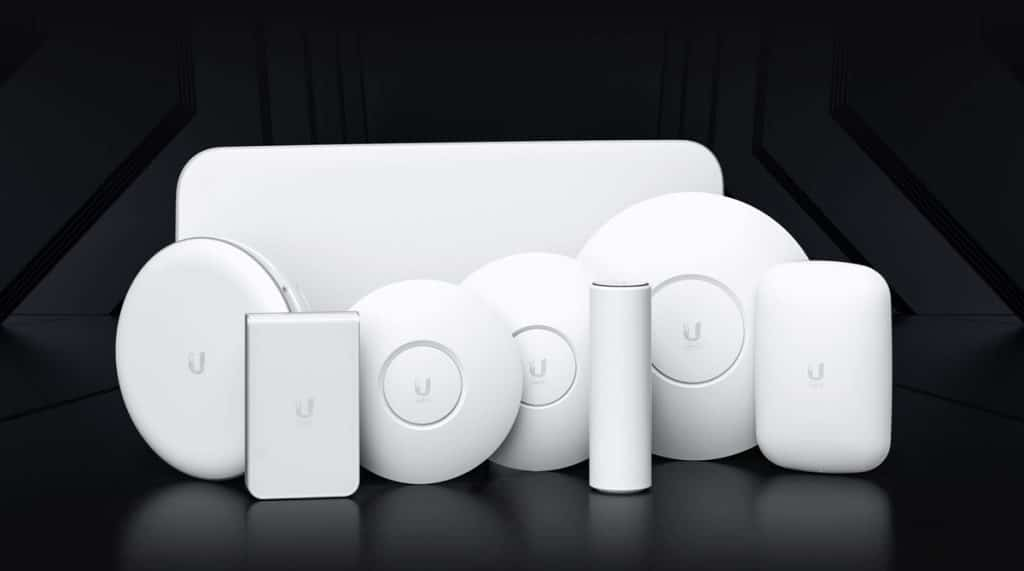
WiFi access points have traditionally been an eyesore — white plastic discs reluctantly tolerated on ceilings and walls. Ubiquiti's UniFi range changed the conversation by designing hardware that's genuinely discreet.
The UniFi U7 Pro ceiling-mounted access point, for example, sits flush, low-profile, and clean — the kind of thing that blends into a freshly painted ceiling without drawing any attention whatsoever. Ubiquiti's commitment to aesthetics is evident in a design that is both sleek and functional, promising seamless integration into any environment.
For outdoor installations, the UniFi U6 Mesh outdoor access points extend that same design discipline outside — weatherproof, purpose-built, and considerably more considered in their appearance than the industrial-looking alternatives.
The philosophy across the UniFi range is consistent: professional-grade performance in a form factor that respects the spaces it lives in. For a renovated home or a well-designed commercial fitout, that matters.

Ubiquiti G6 Cameras — Surveillance That Doesn't Look Like Surveillance

The G6 camera range is a good example of what happens when a manufacturer takes industrial design seriously.
The G6 Turret, in particular, is compact, low-profile, and finished in clean white — designed to sit unobtrusively under a soffit or on a wall without announcing itself. It's a meaningful departure from the bulky, utilitarian cameras that have long dominated the surveillance market.
The outdoor G6 Bullet is more visible by nature — it's designed for perimeter use where some degree of visible deterrence is actually desirable — but even here, the lines are clean and the hardware is considered. These cameras deliver pro-level performance at a price point that no longer requires choosing between image quality and cost.
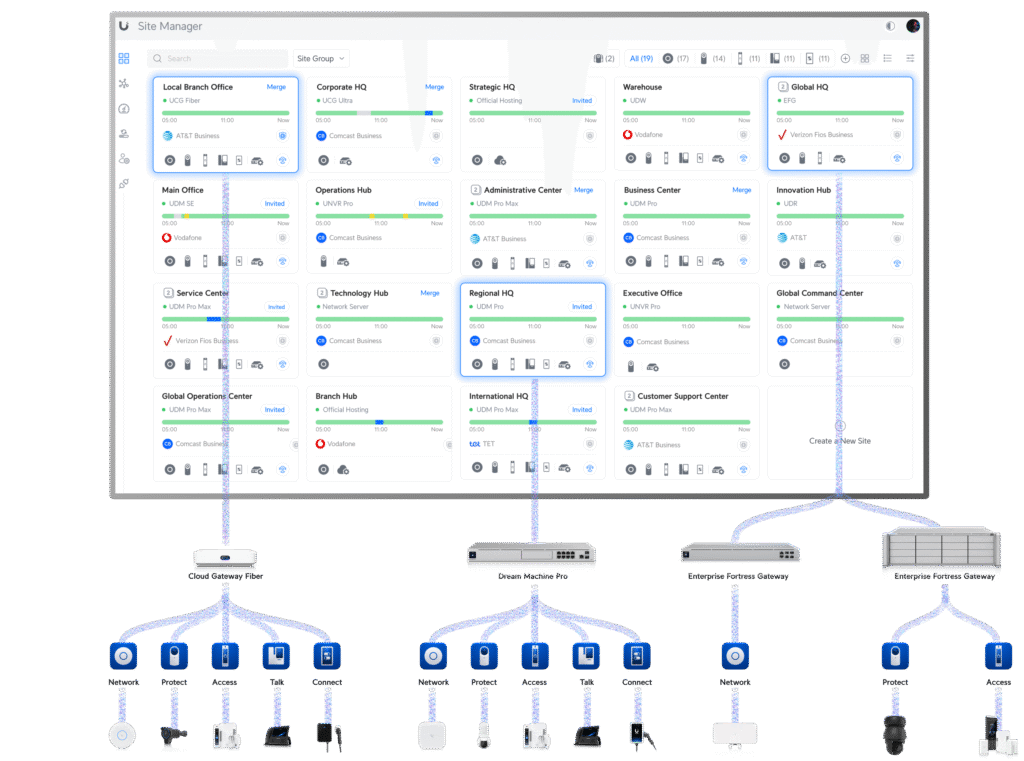
And because the entire UniFi ecosystem uses the same app, the same interface, and the same management platform, everything from your WiFi to your cameras to your access control sits in one cohesive, well-designed digital environment. Tidy hardware, tidy software, tidy installation.
U6 information here

Ajax Security Sensors — Protection That Respects Your Interior

One of the most common hesitations people have about installing a security system is visual: they don't want sensors stuck to their doorframes or motion detectors screwed awkwardly into corners.
Ajax has addressed this head-on. Ajax devices feature sleek, minimal lines that complement modern residential and commercial spaces without the bulk and clutter of traditional sensors. The motion detectors, door sensors, and keypads are designed to sit quietly in a space — present and purposeful, but not intrusive.
Ajax Systems was recognised as Best Smart Home Security Equipment Manufacturer 2024 by the Security Awards in the UK — and that recognition extends beyond functionality to the considered design of every device in the ecosystem. In 2025, Ajax received 18 international awards spanning regions from Australia to North America and Southeast Asia.
For a renovated home where the finishes matter, knowing that your security system won't undermine them is genuinely reassuring.

The Installation Makes the Difference

Here's something that doesn't always get said enough: even the most beautifully designed products can look terrible if they're installed poorly.
Cable management, mounting position, alignment, height — these details are what separate a professional installation from one that was just "done." At The Techery, we take the installation as seriously as the product selection. Cables are concealed. Devices are positioned intentionally. Everything is clean, considered, and finished to a standard we'd be proud to show off.
That's as true for a single access point in a hallway as it is for a full smart home build. The technology should look like it was always meant to be there.

Thinking About a Renovation This Spring?

If you're refreshing your home — new kitchen, updated living areas, outdoor entertaining space, new build — the best time to think about your technology is before the walls go back on. It's much easier to run cables, plan access point positions, and design entry systems during a renovation than after.
We're happy to walk through a project at any stage and give you an honest picture of what's possible, what's practical, and what will look and work beautifully for years to come.
Come and visit us at Shop 5, The Mill, Bowral, call us on 02 4883 6781, or reach out through our website.
— The Techery Team


Smart Home Automation for Southern Highlands Winters — Crestron Scenes, Heating & Blinds

⏱ 4 minute read

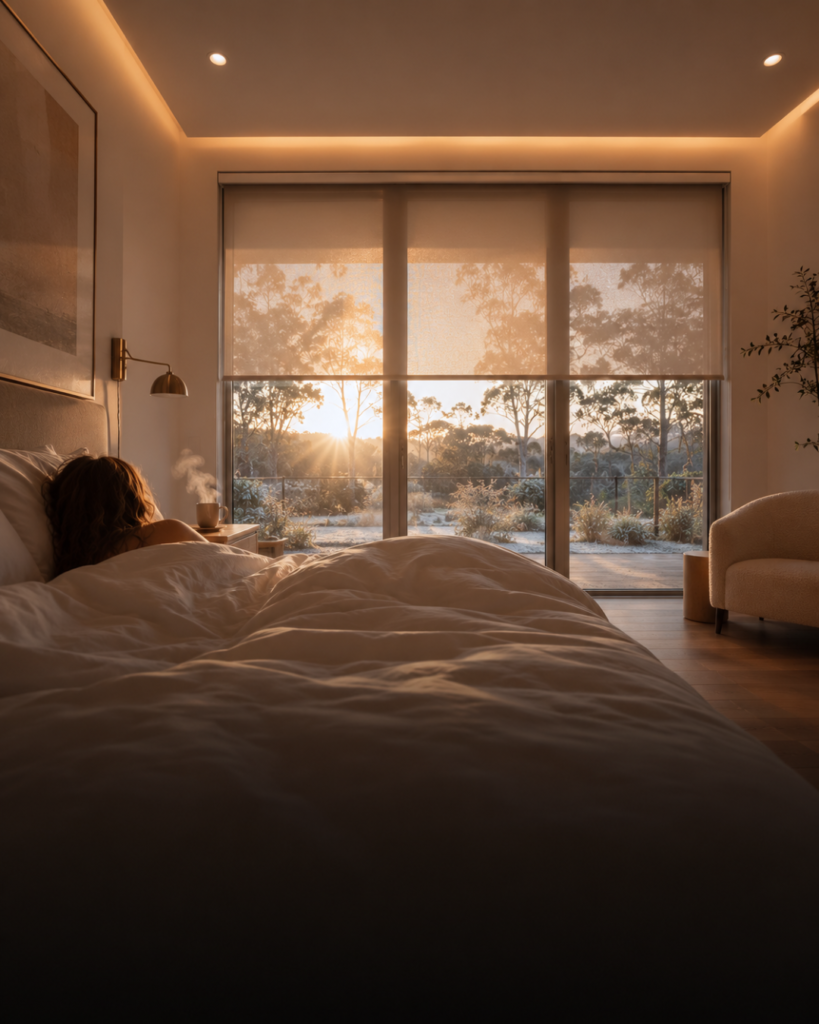
There's nothing quite like a Southern Highlands winter morning. Frost on the paddocks, mist sitting low in the valley, and the very real internal debate about whether to get out of a warm bed.
Now imagine your home already knew what you needed before you asked. The heating clicked on twenty minutes ago. The blinds are drawing back slowly to let the morning light in. The kettle's on because you set a routine last night. And the lights in the hallway are rising gently — no harsh overhead glare, just a warm, gradual welcome to the day.
That's not a feature of some futuristic home. That's what a well-set-up Crestron automation system can do right now, in your home, this winter.

What a "Scene" Actually Mean

If you've heard the word "scene" thrown around in the context of smart homes and wondered what it actually means in practice — here's the simple version.
A scene is a single command that triggers multiple things at once. Instead of walking around adjusting your heating, pulling down the blinds, dimming the lights, and turning on the fireplace separately, one tap — or one scheduled trigger — does all of it simultaneously.
Crestron allows homeowners to create lighting scenes that match specific moods or times of day. With a single tap, you can dim the dining room lights for dinner, brighten your workspace, or lower the shades to reduce glare. But scenes in a fully integrated Crestron system go well beyond lighting — they can include heating, blinds, audio, security, and more, all moving together in one coordinated moment.
Think of it less like controlling your home, and more like your home simply knowing what you need.


The Winter Scenes We Set Up Most

Every home is different, and that's exactly the point with Crestron — it's designed around how you actually live. But some scenes are particularly popular when the temperature drops:
Good Morning. Heating activates before your alarm goes off. Motorised blinds begin to open with the sunrise. Lights ease on gradually in the bedroom and bathroom. By the time you're up, the house is warm and ready.
Work From Home. Your home office lights adjust to a clear, focused colour temperature. Heating holds at a comfortable working temperature in that zone only. Blinds shift to reduce glare on your screen without closing the room off entirely.
Movie Night. Lights dim to the right level. Blinds close for darkness and warmth. The television and sound system power up. One tap, and you're settled in — no getting up and down to sort everything out before the film starts.
A multi-trigger sequence can be introduced so that when a movie streaming app is launched, the system knows it's movie night and automatically dims the lights, closes the blinds, and adjusts the speaker volume for the best viewing experience.
Goodnight. A single tap before bed locks the front door, turns off every light in the house, sets the heating to a lower overnight temperature, and closes any blinds still open. Nothing left on. Nothing forgotten.
These aren't gimmicks. Once you've lived with them for a week, going back feels genuinely inconvenient.

Heating Smarter, Not Harder

One of the most practical — and often most underestimated — benefits of a properly automated home in winter is how it handles heating.
Most people either leave heating on all day to avoid coming home to a cold house, or they walk into a freezing living room and wait twenty minutes for it to warm up. Neither is ideal, and one is quietly expensive.
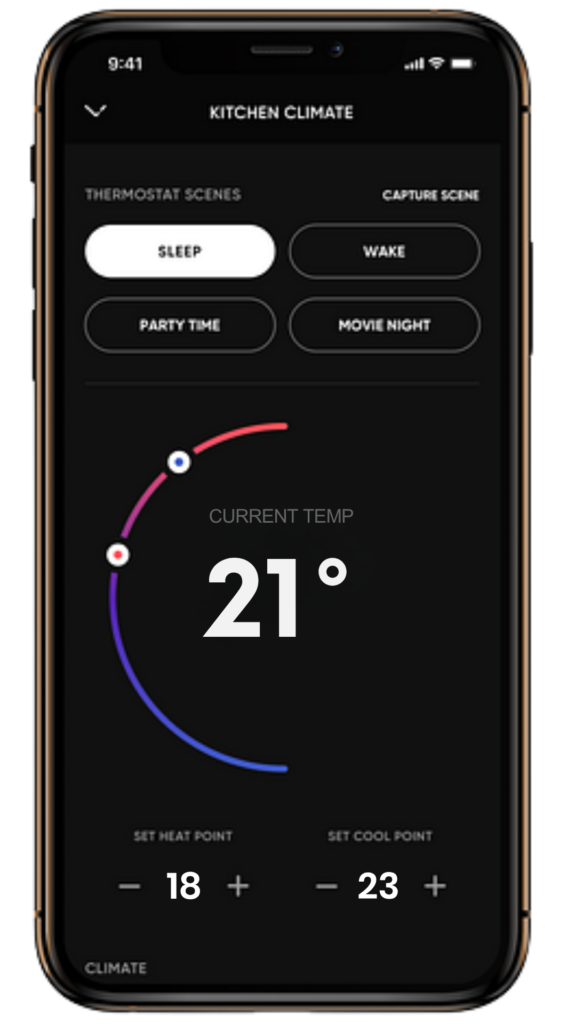
Crestron's advanced shading systems adjust in real-time based on sun position, occupancy patterns, and pre-programmed schedules, while HVAC systems can be synced with occupancy sensors and weather conditions to optimise comfort and energy usage.
What this means practically: the system heats the rooms you're actually using, at the times you're actually in them. It can factor in the time of day, whether anyone's home, and even the weather outside. Over a full winter season, that kind of intelligent management adds up to real savings — and a home that's always at the right temperature without you having to think about it.

Blinds and Shading — More Important Than You'd Think

Motorised blinds often get filed under "luxury addition" in people's minds, but in a Southern Highlands winter, they're genuinely practical.
Good shading control means your home retains warmth more efficiently. Blinds close automatically in the evening to hold heat in. On clear winter days they open to the north-facing sun and help warm the space naturally. And at night, they close fully before you've even thought to get up and do it yourself.
Crestron's shading control lets you manage all motorised blinds and curtains — individually or as a group — to optimise natural light, privacy, and energy efficiency. When that's tied into a scene alongside your heating and lighting, the whole home just behaves the way a well-designed, well-run home should.

It's Not Just Comfort — It's Your Home Working Properly

There's a version of smart home technology that's all flashing lights and novelty features that wear off after a month. Crestron isn't that.
What we install is infrastructure — built properly, designed around your lifestyle, and intended to work reliably for years. The scenes we set up with you aren't generic templates; they're built around how your household actually moves through the day, what matters to you in the morning, and what "relaxed evening" genuinely looks like in your home.
As authorised Crestron Home installers, The Techery team designs and programs every system ourselves. We don't just plug things in and hand you a manual — we sit down with you, understand how you live, and build something that fits.

Ready to Make This Winter a Little Warmer?

If your home is already part-way there — maybe you have some smart lights, or a newer heating system — there's a good chance it can be brought into a Crestron ecosystem and made to work together properly. And if you're starting from scratch, there's no better time than the lead-up to winter to get it sorted.
Come and visit us at Shop 5, The Mill, Bowral, give us a call on 02 4883 6781, or reach out through our website. We'll have a conversation, take a look at what you've got, and put together something that makes this winter genuinely easier.
— The Techery Team

Professional WiFi Installation Across the Southern Highlands — Indoors, Outdoors and Beyond

The cooler months have a funny way of reminding us where our WiFi doesn't reach.
Suddenly you're working from home more, the kids are inside doing schoolwork, someone's trying to stream Netflix in the back bedroom, and your smart home devices are dropping offline because the signal doesn't quite make it past the kitchen wall. Or maybe you're heading out to the shed to get some work done and your phone disconnects the moment you step outside.
Sound familiar?
May is actually a brilliant time to sort out your WiFi properly — before the fire's on and everyone's settled in for the season. Here's what that can look like, and why it's worth doing right.

Why Your Router Alone Usually Isn't Enough

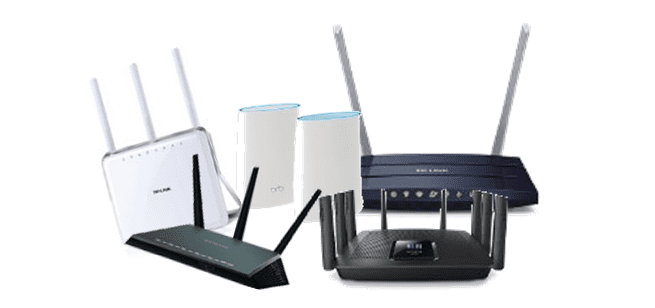
Most people's internet setup looks something like this: a modem-router sitting near the front door or in a hallway cupboard, doing its best to push a signal through walls, ceilings, and across large distances. For a small apartment, that's probably fine. For a Southern Highlands home — especially one with thick stone walls, multiple levels, a home office, or a property that extends to a shed, garage, or granny flat — it almost never is.
The problem isn't your internet connection. It's that your WiFi signal is trying to do too much from one single point.
And no matter how expensive your router is, physics will always win.
The solution isn't a better router. It's a better system.

What a Proper WiFi System Actually Looks Like

At The Techery, we design and install WiFi infrastructure using Ubiquiti's UniFi platform — the same professional-grade system used in hotels, office buildings, and enterprise campuses, now accessible and practical for homes and small businesses.
Instead of one device trying to cover everything, a UniFi system uses multiple access points placed strategically across your property. Each one is wired back to your network (where possible) for maximum reliability, and they all work together seamlessly — so your phone or laptop moves between them without dropping out, exactly like a professional building does it.
For outdoor coverage, we commonly deploy the UniFi Mesh and Mesh Pro's — both weather-rated, these access points are built specifically for outdoor and extended coverage applications. These indoor/outdoor access points are designed for mesh applications, making it well suited to the Southern Highlands' variable conditions.
These are purpose-built outdoor units that can handle a lot of devices, in all weather, and integrate cleanly with everything else on your network.

Sheds, Garages, and Paddock Buildings — Yes, WiFi Can Reach There Too

This is one of the most common conversations we have with rural and semi-rural property owners across the Highlands.
Whether it's a workshop, a machinery shed, a studio, a granny flat, or a paddock building — if there's power, there's usually a way to get reliable WiFi there. In most cases we're running a cable from your main building out to the structure and mounting an access point on the outside wall or under the eave. The result is full-strength WiFi at the shed that's on the same network as your house, with no separate logins, no dead zones in between, and no dropouts.
It's also the foundation that makes other technology possible out there — security cameras, smart lighting, intercom systems, even a UniFi Access reader on the shed door if you want to get fancy about it.

Home Offices — Built for How You Actually Work Now

The home office has gone from being a nice-to-have to a genuine necessity for a lot of families across the Highlands. And yet the WiFi supporting it is often an afterthought — a slow connection, an extender plugged into a wall, or a long Ethernet cable someone's tripped over twice.
A properly placed access point in or near your home office makes a real difference. Video calls stay stable. Large file uploads don't stall out. You're not competing with the rest of the household for bandwidth. And because UniFi lets us manage everything centrally, we can also set up separate networks — so your work devices stay on their own network, away from the kids' tablets and the smart TV.

Event WiFi — When You Need Reliable Connectivity for a Crowd

We also provide temporary WiFi solutions for events across the Southern Highlands — markets, weddings, corporate functions, pop-up venues, and community events where reliable connectivity for a large number of people is genuinely important.
The challenge with events isn't just coverage — it's capacity. Consumer-grade equipment simply can't handle hundreds of devices connecting at once without grinding to a halt. UniFi's access points are designed for exactly this kind of high-density environment, and we configure them specifically for the event: isolated guest networks, bandwidth management, and the kind of setup that actually holds up when 200 people try to post to Instagram at the same time.
If you're planning an event and WiFi is on the checklist, it's worth having a conversation with us early — the planning and infrastructure side of it takes a little lead time to do properly.

It's Worth Doing Once, and Doing Right

The thing we hear most often after a proper WiFi installation is: "I can't believe we put up with the old setup for so long."
Dead zones disappear. Dropped calls stop. Smart home devices that were forever going offline start behaving. And the whole property — inside and out — just works the way it should.
If you've been frustrated by patchy coverage, a shed that can't get a signal, a home office that buffers at the worst times, or an event coming up that needs reliable connectivity — give us a call.
We're at Shop 5, The Mill, Bowral, reachable on 02 4883 6781, or you can get in touch through our website. We'll take a look at your property and put together something that actually fits.
— The Techery Team

Smart Access & Entry Systems for Southern Highlands Homes and Rural Properties

There's a moment most of us know well.
You're in the middle of cooking dinner, the kids are loud, and the gate buzzer goes off.
You have no idea who it is.
You drop everything, walk to the intercom panel, squint at a grainy black-and-white image, and try to figure out if you need to buzz them in or not.
Or maybe you're two hours away from your rural property and your Airbnb guests just arrived — and they can't get in because they misplaced the key code you sent them.
Or perhaps you're a local business owner who's had one too many "after hours" visits from people who shouldn't be there.
The good news? There's a smarter way to manage all of it — and it's exactly what we do here at The Techery.

It's More Than Just a Doorbell

When most people think about entry systems, they picture a basic video doorbell. And while those have their place, what we install goes well beyond a WiFi camera on your front door.
A properly designed smart access and entry system ties together your intercom, gate or door control, keypads, alarm integration, and even your phone — into one seamless experience. You can see who's at the gate, talk to them, and let them in (or not) from anywhere in the world. No running to the door. No leaving a key under the mat. No awkward lockout calls at 9pm.
This is hands-free living done properly.


The Ubiquiti UniFi Access Platform

What It Actually Does

At The Techery, one of our go-to access control platforms is Ubiquiti's UniFi Access ecosystem. It's the same brand we use for WiFi and surveillance, which means everything speaks the same language — managed from a single app, on a single platform.
Here's what that looks like in practice:
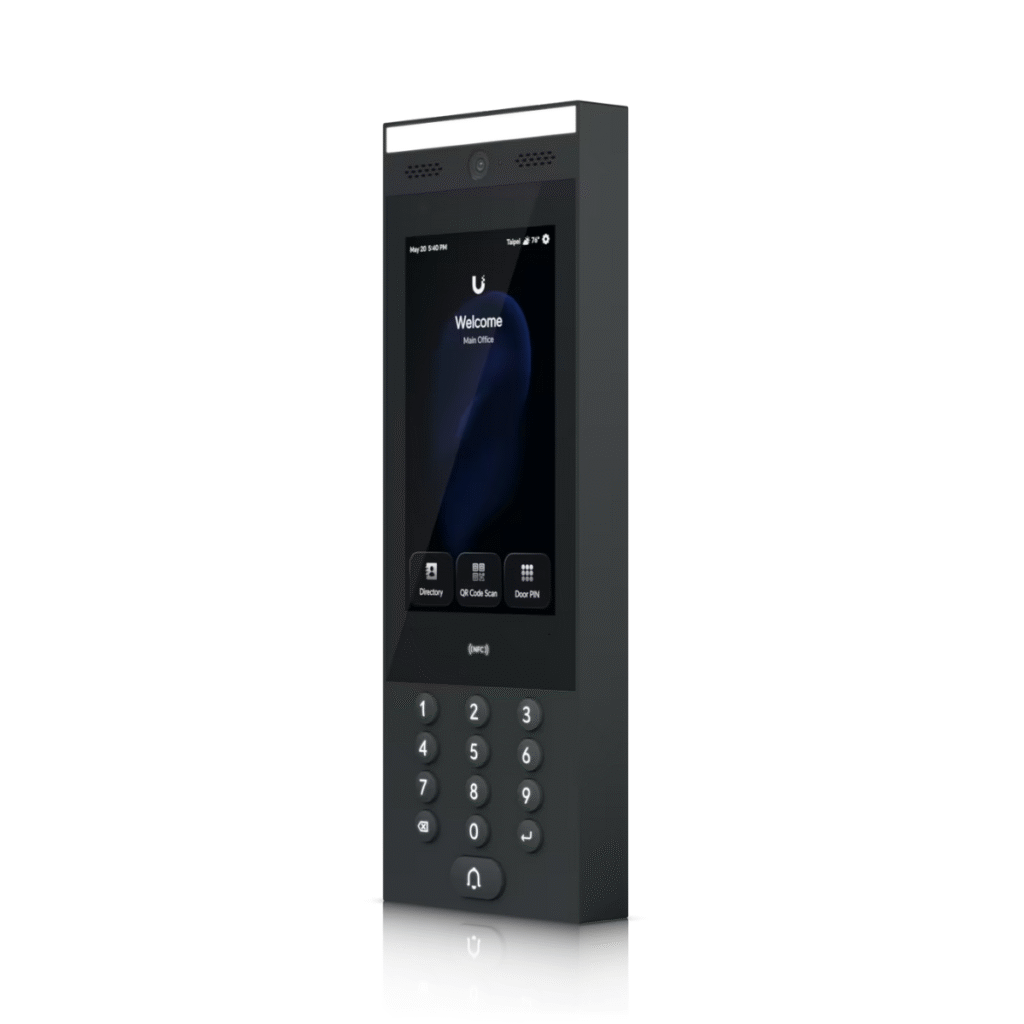
The G3 Reader Pro is a touchscreen access reader that sits at your entry point — whether that's a front door, a gate, a garage, or a commercial entry. It supports multiple ways to unlock: tap your phone (via Mobile Touch Pass), use an NFC card or key fob, enter a PIN, or even use facial recognition. The G3 Reader supports mobile unlock, NFC cards, and TouchPass — and the G3 Reader Pro adds a camera, live view, two-way audio, and facial authentication.
What this means for you: your cleaner can have their own access code. Your guests get a temporary PIN that expires when they check out. Your staff can be granted access to specific doors during specific hours — and that access can be revoked instantly from your phone, no locksmith required.
The G4 Doorbell Pro adds another layer — it features a 5MP sensor with 1600×1200 video at 30 frames per second, a 138° horizontal field of view, infrared night vision, and two-way audio, all integrated directly into the UniFi Protect platform. If you're already running UniFi cameras on your property, your doorbell footage lives right alongside the rest of your surveillance — one app, one interface.
For multi-tenant or more complex entry needs, the G3 Intercom is ideal for multi-tenant residential and commercial entry points such as gates or main entrances — securing access while providing directory services to call specific users or contacts.

Rural Properties

Access Control That Works Across Distance

If you live on a larger property in the Southern Highlands, you already know the challenges.
Your front gate might be 400 metres from your house. Visitors often arrive when you're out in the paddock, or in town, or in another state entirely.
A properly set up access system means your gate can be unlocked from your phone — anywhere, anytime.
You can see exactly who's there via a camera at the entry point, have a two-way conversation, and decide whether to let them in, all without leaving where you are.
We've installed these systems across rural properties throughout the region,
integrating gate controllers with UniFi Access readers and cameras so that the whole entry point becomes visible,
manageable, and secure — even from hundreds of kilometres away.
And because we design everything around your actual infrastructure
— including your internet connectivity (whether that's NBN, Starlink, or 5G) —
the system is built to be reliable, not just impressive on day one.

Airbnb & Short-Term Rentals

End the Lockout Drama

If you manage a holiday property or short-term rental, smart access is genuinely life-changing.
No more driving out to meet guests because they lost the lockbox code. No more physical keys being copied, lost, or left somewhere unexpected. No more late-night phone calls asking how to get in.
With a properly configured keypad or NFC-based entry system, you can issue unique access codes or digital keys to each guest — codes that activate on check-in day and automatically expire at checkout. If a guest extends their stay, you update it from your phone in seconds. If something goes wrong mid-stay, you have full visibility and control without stepping foot on the property.
This is particularly relevant for the Southern Highlands, where short-term rental properties are booming and owners are often managing from a distance. We've helped a number of local property owners set this up properly — and the feedback is always the same: "Why didn't we do this sooner?"

Ajax Security

The Alarm System That Ties It All Together

A smart entry system is even more powerful when it's paired with a smart alarm system. That's where Ajax comes in.
Ajax is a professional-grade, fully wireless security platform that we install and configure for both residential and commercial properties. At the core of the Ajax system is a wireless modular network — motion detectors, door and window sensors, glass break detectors, sirens, and smoke or flood sensors all connect to a central Ajax Hub over encrypted frequency-hopping channels, making it difficult to jam or interfere with.
Because Ajax is wireless, installation is clean and non-invasive — no chasing cables through walls or ceilings.
Expanding coverage is simple: just pair a new device to the Hub without any rewiring.
The Ajax app gives you complete control of your system anywhere, anytime — including real-time push notifications, SMS, or calls when the alarm is triggered, and active alerts for any attempt to tamper with the system.
For rural properties and holiday homes in particular, this matters. You're not always on-site. You need a system that tells you what's happening, when it's happening, with enough detail to make an informed decision — rather than a system that just makes noise and hopes someone nearby notices.
Ajax also integrates with surveillance cameras and automation devices, meaning your security system can become part of a broader smart property setup over time.

Licensed, Insured, and Part of the Right Partnerships

This is important — and something we're proud of.
Installing access control and alarm systems in NSW isn't something just anyone can do. It requires a licensed security technician. At The Techery, our team holds the appropriate security licences, which means every access control and alarm installation we carry out is done legally, properly, and to a professional standard.
We're installers of both Ubiquiti UniFi and Ajax systems, which means we're trained on these platforms specifically — not just following a YouTube tutorial. When something needs configuring, troubleshooting, or updating, we know these systems inside and out.
When you invest in a properly designed access and security system, you want to know it was done right. That's what we're here for.

Every Property Is Different

That's Kind of the Point

One of the things we hear often is: "I didn't think we were big enough for something like this."
But smart access and entry isn't reserved for luxury estates or large commercial buildings. We've designed and installed solutions for small rental properties, local businesses with a single entry point, rural homes that just want to manage their front gate properly, and everything in between.
The beauty of the platforms we use is that they scale. Start with a single entry reader and a doorbell camera. Add a keypad at the shed. Integrate your alarm. Add more camera points over time. It all lives in the same ecosystem, managed from the same app.
You don't have to figure out what you need upfront — that's our job. We come to site, understand how you actually use your property, and design something that fits.

Ready to Take Back Control of Your Entry Points?

If you're tired of worrying about who's coming and going, managing physical keys, fielding lockout calls, or simply not knowing what's happening at your gate when you're not home — let's have a conversation.
We're based right here in Bowral and we service properties across the Southern Highlands and surrounds. Give us a call on 02 4883 6781, pop into see us at Shop 5, The Mill, Bowral, or reach out via our website.
We'll come to you, take a look, and put together something that actually works for the way you live.
— The Techery Team